 Free on WordPress.org
Your reviews, on your own WordPress site
Install one plugin and your Wowpilot rating, your latest reviews and a “Rate us” prompt appear anywhere you want them — a post, a sidebar, a product page, or floating on every page. No code, no copy-pasting snippets.
Works on WordPress 6.3 and newer · PHP 7.4+ · WooCommerce optional
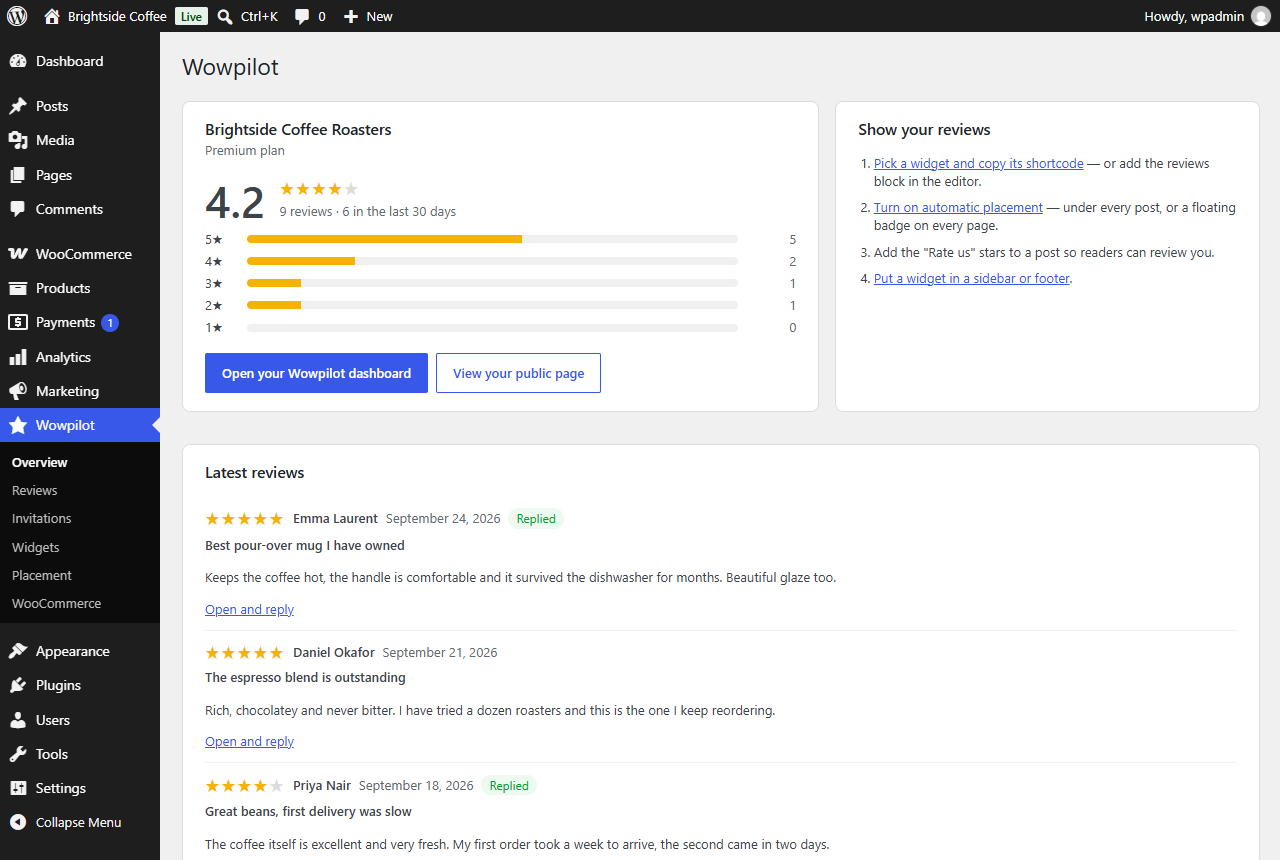
Nineteen widgets, every one of them free
Choose a layout, set the accent to match your theme and watch it update as you go. Copy the shortcode, or drop the block straight into the editor.
- Carousels, grids, star strips, floating badges and more
- Live preview before you place anything
- No layout is locked behind a plan
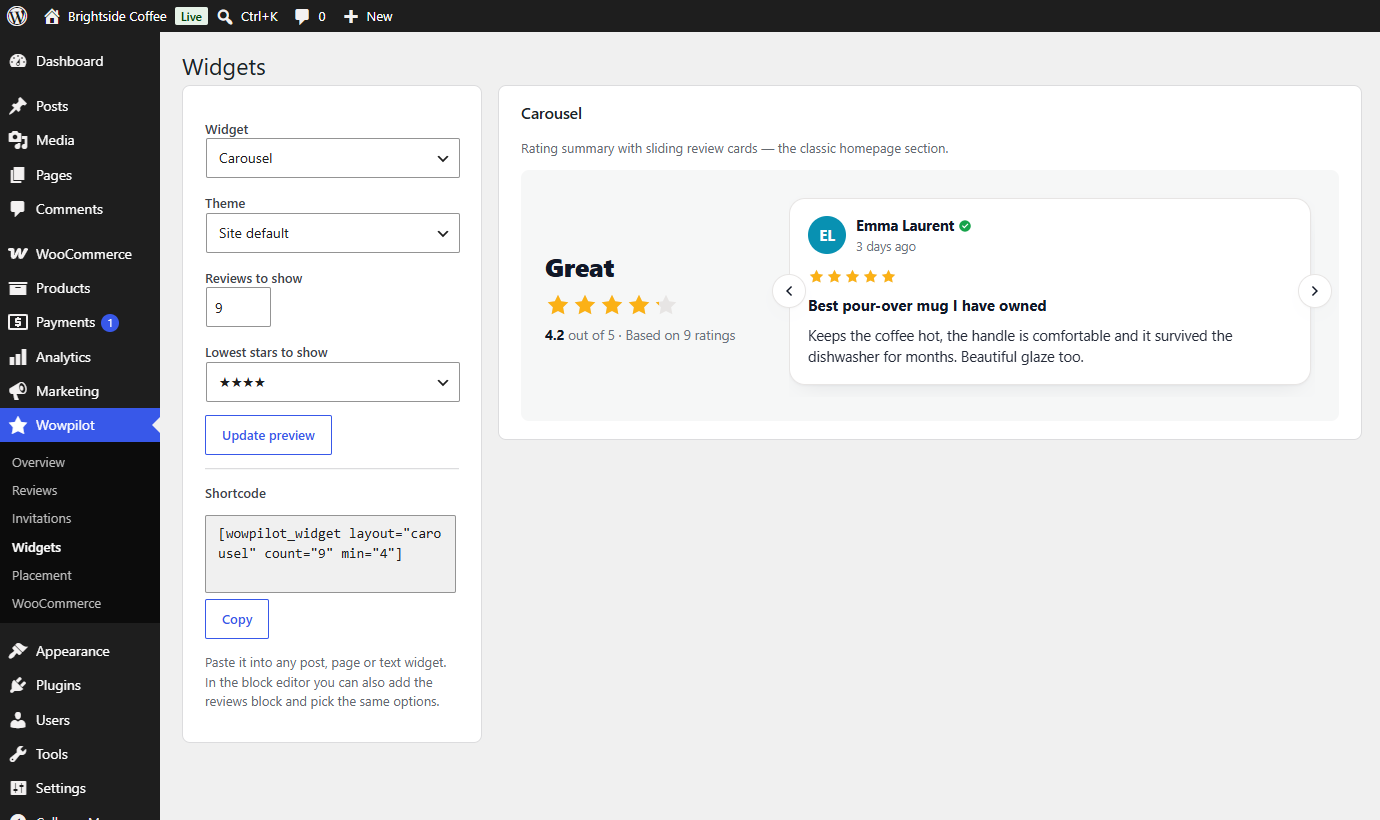
Under every post, without editing a single one
Turn on automatic placement and the widget appears under your posts and pages on its own. Add the “Rate us” stars and a reader can start a review from the page they are already on.
- Posts, pages, or a badge that floats on every page
- Stars that open your review form with the rating pre-picked
- Shortcode and block available when you want manual control
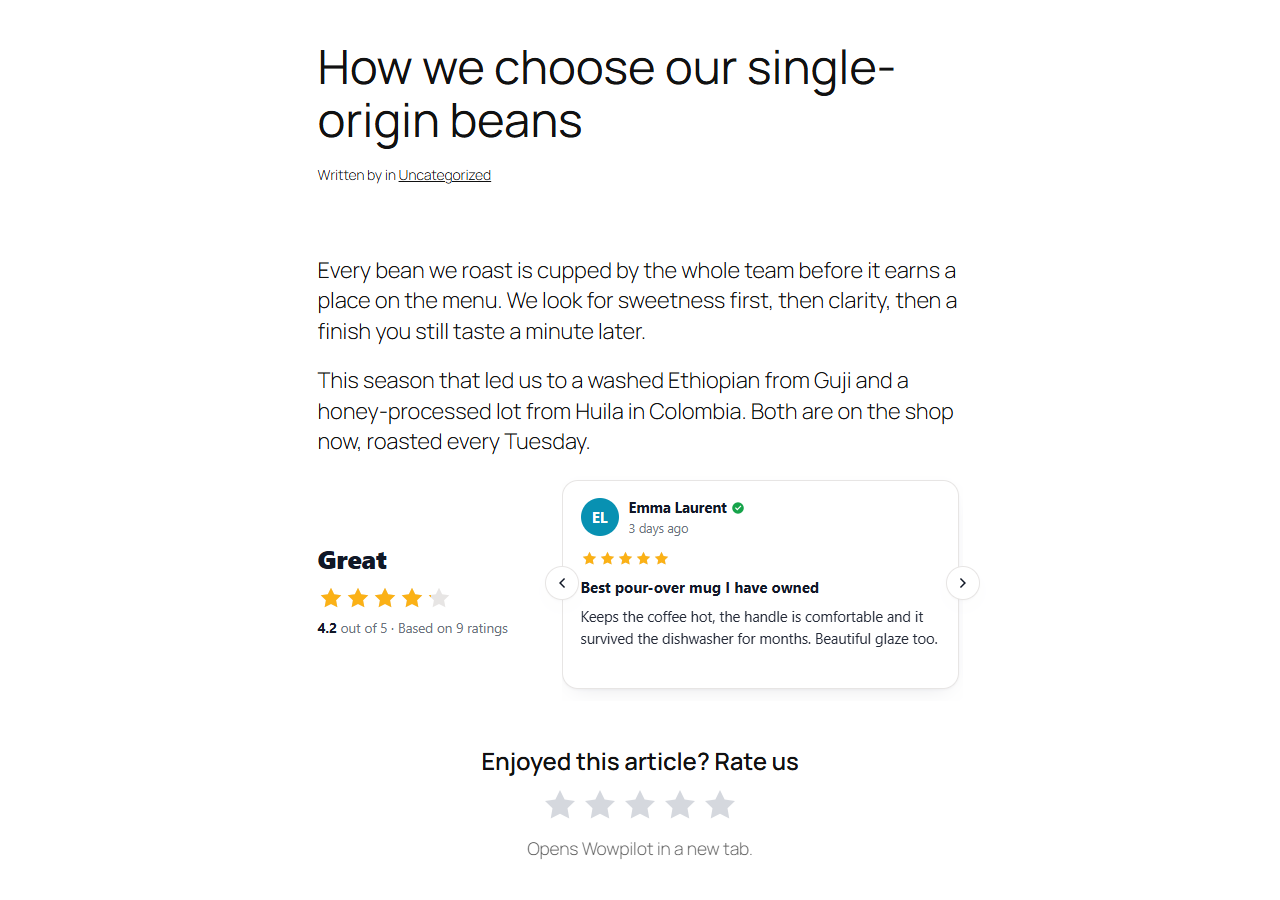
Reviews from the people who actually bought it
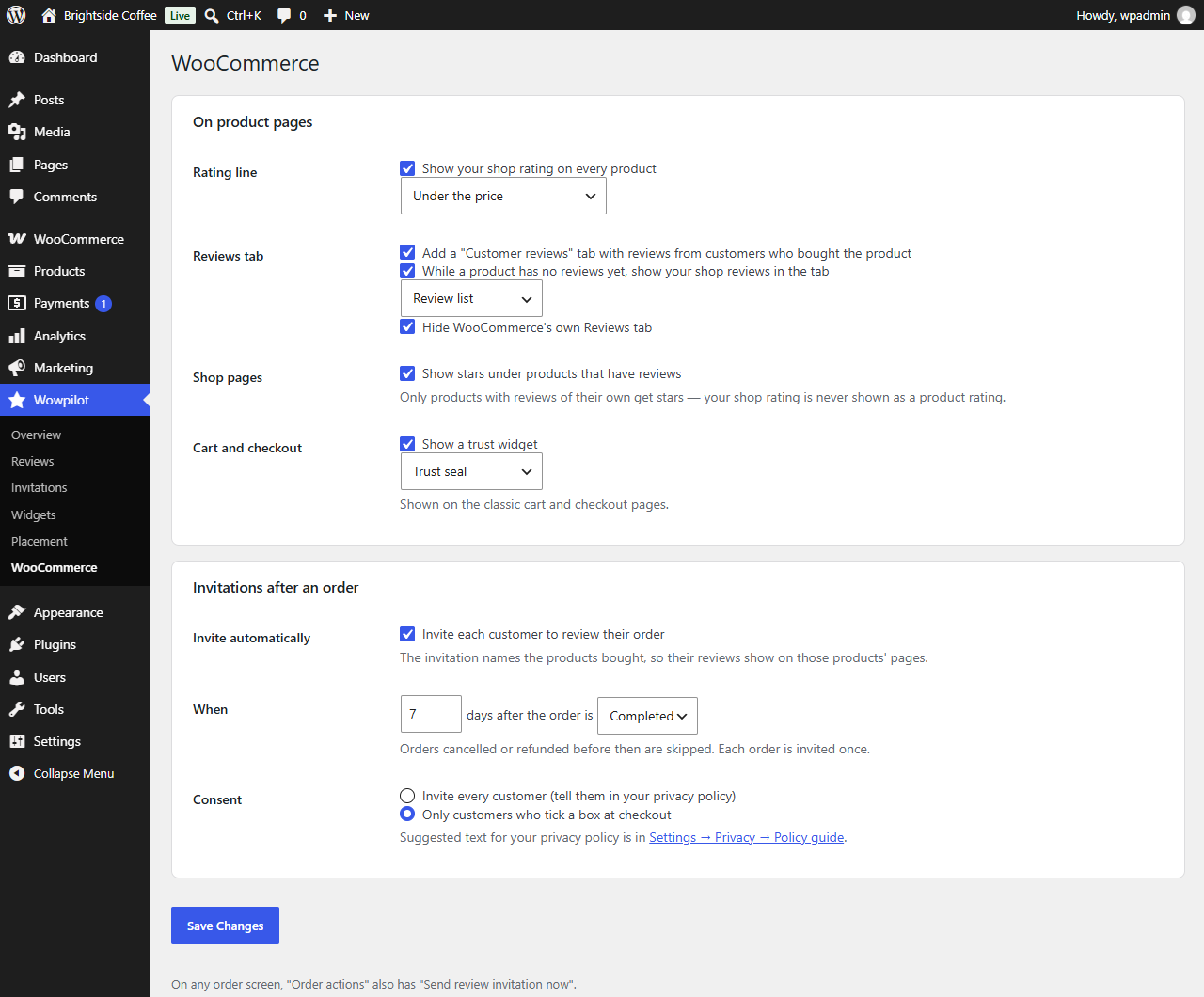
On a product page your rating sits under the price, and the reviews tab shows what buyers of that product said. On the shop page, stars appear only under products that have reviews of their own — never borrowed ones.
- Rating strip by the price, reviews tab, cart and checkout
- Shop and category stars, per product
- WooCommerce's own review tab can be hidden
Ask for the review while the parcel is still new
Choose how many days after an order to ask, and the invitation goes out by itself — once per order, never to a refunded one, and only with the customer's consent if your shop asks for it.
- Scheduled per order status, with your own delay
- Opt-in checkbox for classic and block checkout
- “Send review invitation now” on any order
Read a review and reply without leaving the dashboard
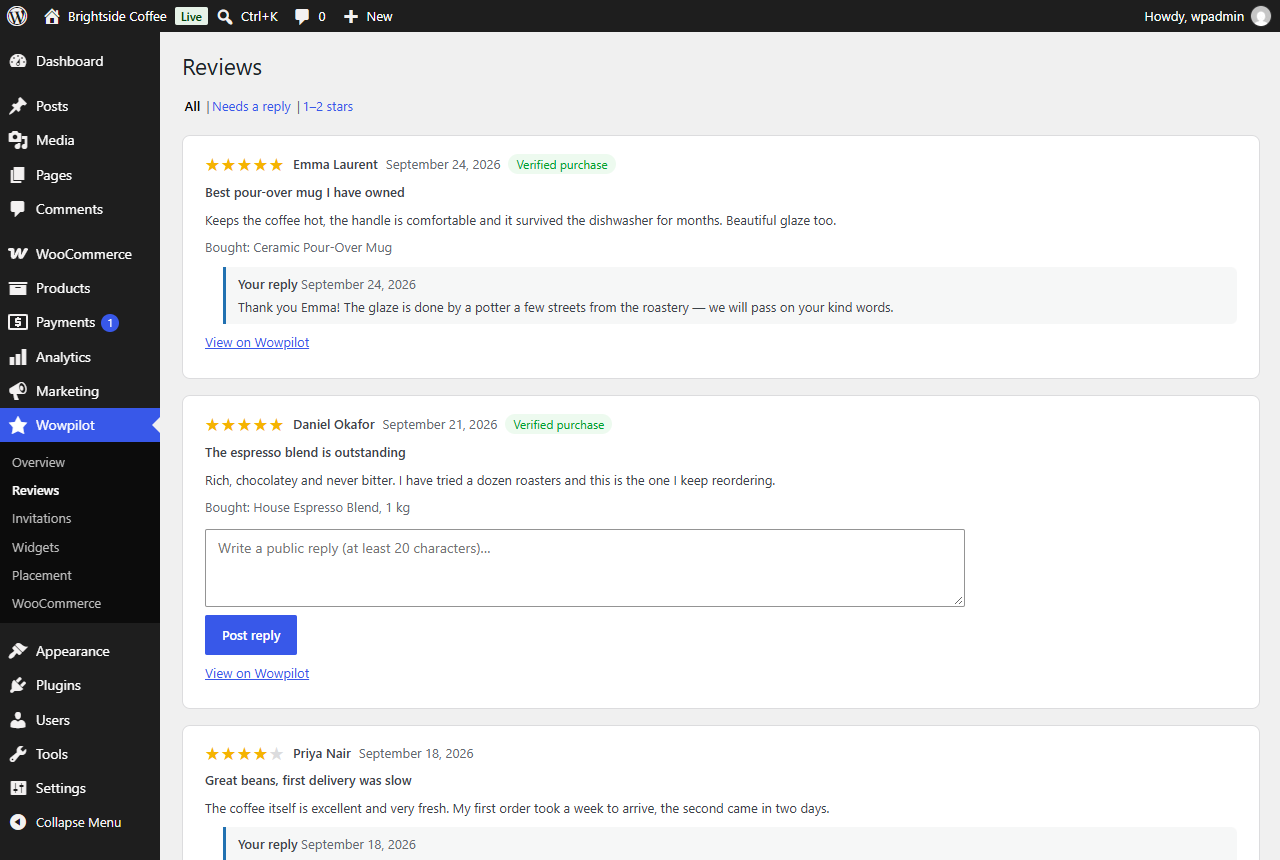
Every review lands in an inbox inside WordPress, with what the customer bought next to it. Reply there and your answer publishes publicly on Wowpilot.
- Filter to the ones still waiting on you
- See the order behind a verified review
- Editors can reply without getting the settings
Nothing phones home
The widget code ships inside the plugin. Your rating is fetched on your server and cached, so no third-party script runs on your visitors' browsers.
It keeps working offline
If Wowpilot is unreachable the last good copy stays on the page for a week, so a hiccup here never leaves a blank space on your site.
No credit line
There is no forced “powered by” link. If you want to credit us there is a switch for it, off by default.
Three steps, about two minutes
Install it
In WordPress go to Plugins → Add New, search for Wowpilot Reviews, install and activate.
Connect your page
Click Connect, sign in here and approve. The plugin never asks for your password — it gets its own key, which you can revoke whenever you like.
Place a widget
Pick a layout, or switch on automatic placement and let it appear under your posts.
Free, and it stays free
The plugin costs nothing and every widget works on every plan, including the free one. You need a Wowpilot page to connect it to — claiming yours is free too.